Windows Latest Windows Latest
Task Manager is a powerful tool packed with useful information and you probably use it regularly on Windows 10. It gives you an overview of what your computer is doing and it also displays the detailed statistics about each process.
Microsoft is reportedly working on a brand new app manager that could be implemented in the Settings app for more control over running processes.
This handy Settings app-based feature will give you an overview of the apps and processes running on your computer. There are two columns in the app—All and Running. The ‘All’ column lists the installed and background apps on your desktop, while the ‘Running’ column lists all the active processes or apps.
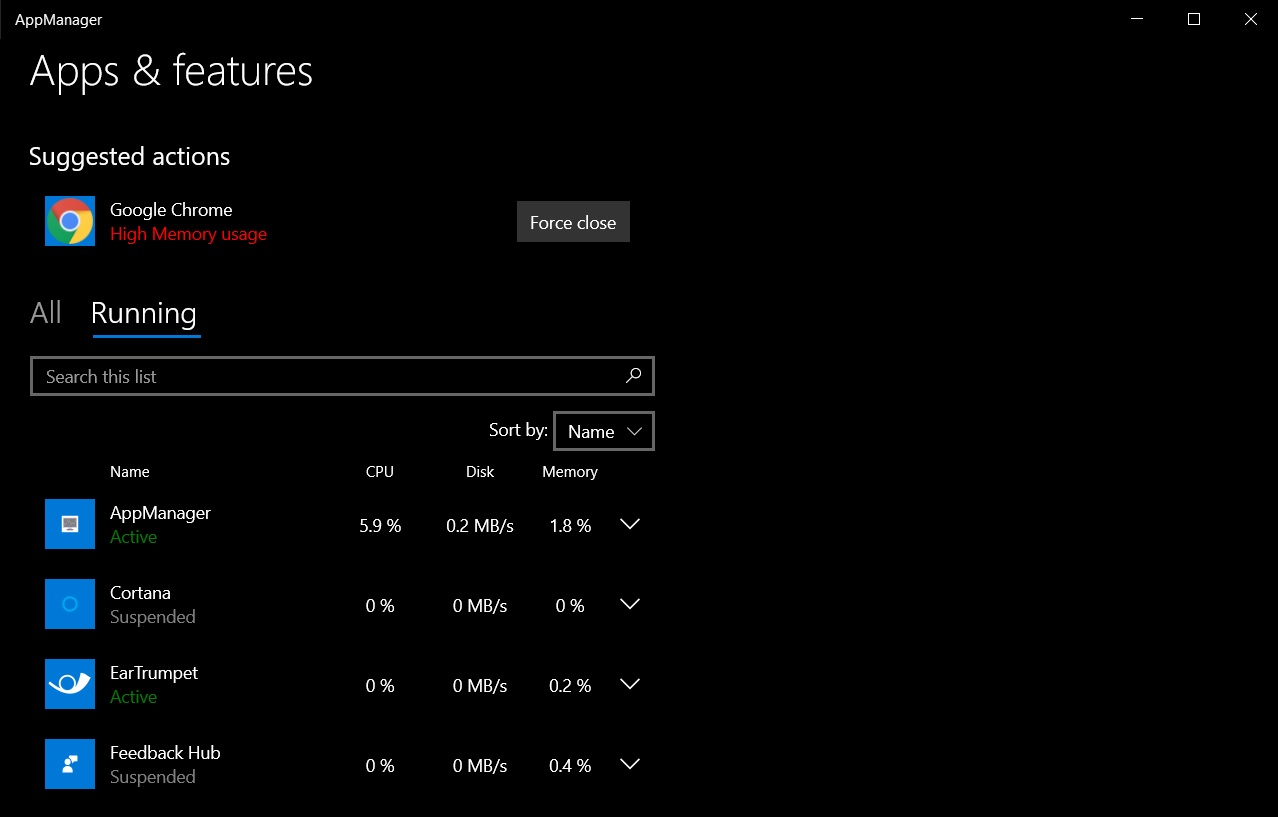
You can select an app here and click on “Force close” to end the process and close the app forcefully. This is useful if an app isn’t responding. Likewise, you can also click on the ‘Uninstall’ button to remove apps, including Cortana.
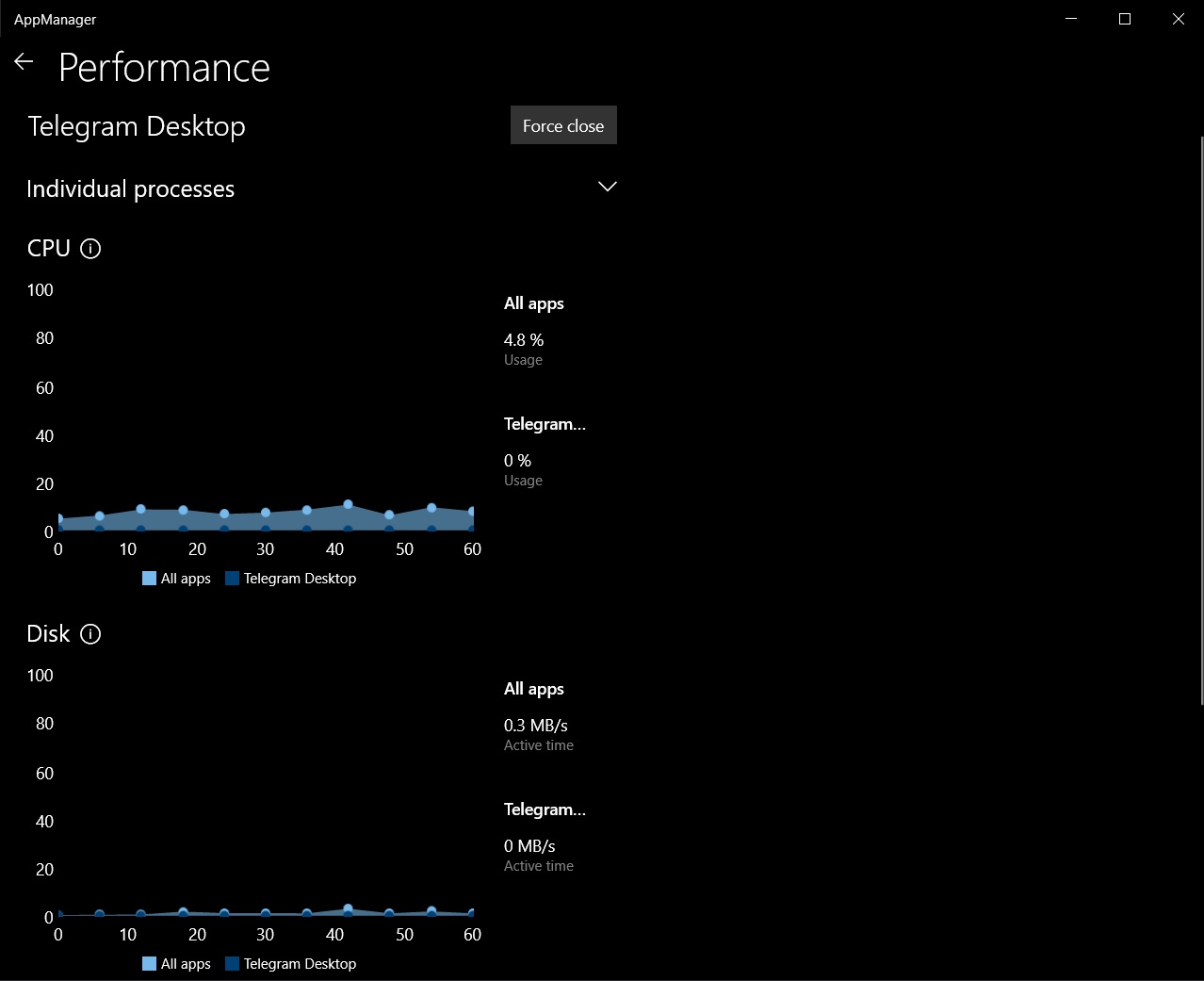
There’s another option called ‘Performance’ that lets you access the detailed statistics about each process. You can view the CPU, Disk, and Memory usage for the selected process.
Microsoft is working on the new ‘AppManager’ in an attempt to give the touch-optimized Settings app a much more important role in our work. At the moment, the modern app manager comes with a rather limited number of features, but there’s no doubt that new options would be added soon.
Unlike Task Manager, Windows 10’s Settings app will also send you notifications when an app uses too much memory.
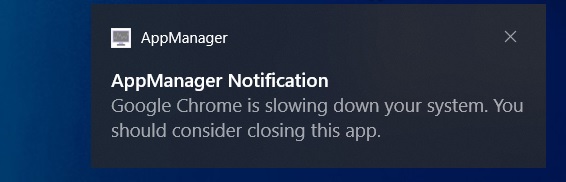
This app appears to be a prototype from Microsoft and it could be integrated into the Settings app on Windows 10, so we will all have the chance to try it out at some point in the future.
The post Windows 10 could be getting a new Task Manager-like app manager appeared first on Windows Latest
Comments