Windows Latest Windows Latest
Today, Intel launched a Microsoft Store app called Graphics Command Center for Windows 10 devices. Intel Graphics Command Center is a new and modern application to help consumers control game settings and GPU-related functionalities. There are also options for optimizing the experience with Intel Graphics.
The Intel PCs currently ships with Intel Graphics Control Panel which is a Win32 application and fails to match the UX of Windows 10. The new Graphics Command Center is a significant update from Intel’s legacy UI design for its previous graphics control panel application.
Intel says consumers need PCs with latest Windows 10 update installed and 6th generation Intel Core processors or newer to install the app.
“You’re tired of our ‘old, boring, corporate-looking’ Graphics Control Panel. We were too and we designed a completely new one from the ground up! We’re incorporating the changes you – the gamers, home theater enthusiasts, professionals, and everyday tinkerers requested,” Intel explains.
Intel Graphics Command Center also comes with Microsoft’s Fluent Design elements and it has a sidebar on the left. The sidebar allows users to navigate between Display, Video, System, Support and Preferences settings.
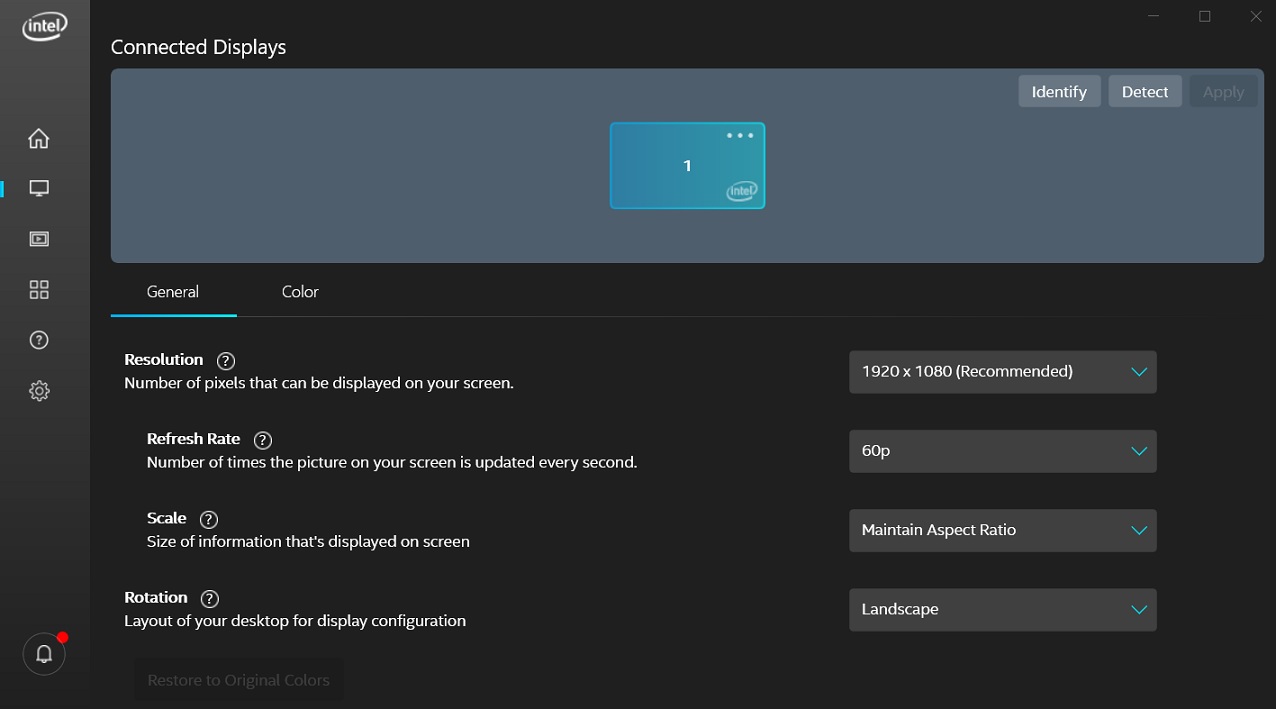
The app offers both advanced and basic setting options. For example, the Display setting lets you change the resolution, refresh rate, scale, rotation, colours, contrast and more.
Intel Graphics Command Center offers simplicity and ease of use with a modern user interface (made of Fluent Design and XAML UI elements). At the same time, the app can automatically detect games and offer one-click game optimization feature.
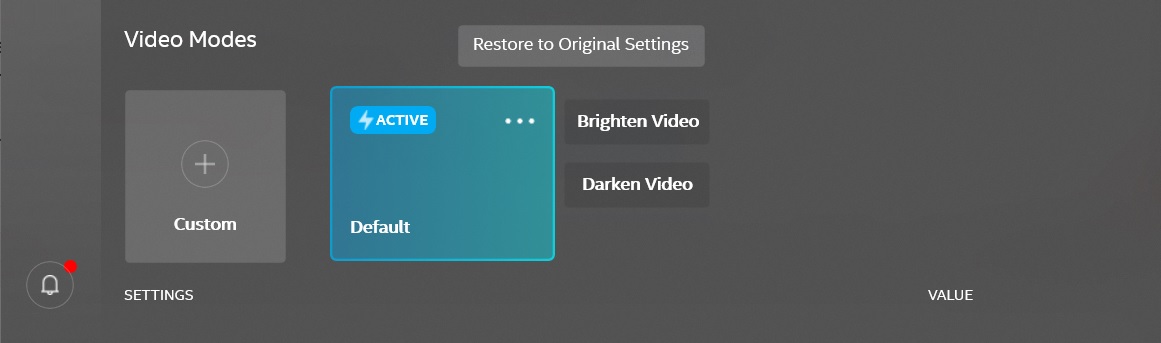
There are several other advanced features, but Intel says they are just getting started as many more features are planned for a later release.
You can download the Intel Graphics Command Center app from Microsoft Store.
The post Intel releases Graphics Command Center app for Windows 10 appeared first on Windows Latest
Comments