Windows Latest Windows Latest
In preview builds of Windows 10 19H1 and 20H1, Microsoft has added a new feature to the File Explorer which allows users to create and rename extension only files. We were able to reproduce the changes on both Windows 10 19H1 and 20H1 machines.
Windows 10 version 1903/20H1 changes how the File Explorer handles the renaming of the file extensions and it’s a useful feature if you display the file extension. File Extension (such as .txt, .png, .jpg) is that which identifies the file type and there are many users who prefer to show File Extensions.
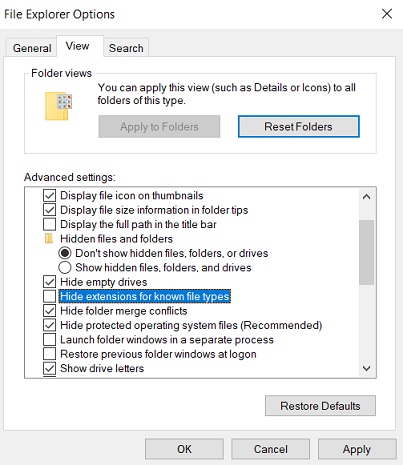
To show file extensions in Windows 10, you can search for File Explorer Options in Cortana and uncheck ‘Hide extensions for known file types’ in the views tab, as shown in the screenshot below.
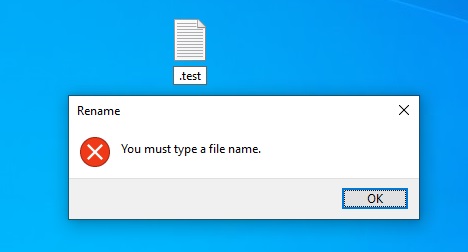
In Windows 10 October 2018 Update or older, if you create or rename a file to a text that starts with a dot and file extension is not specified, the system displays an error message stating that ‘You must type a file name’.
In Windows 10 April 2019 Update and newer, File Explorer will now allow you to rename a file to be something like ‘.test’. Previously there would be an error citing that you needed to provide a name.
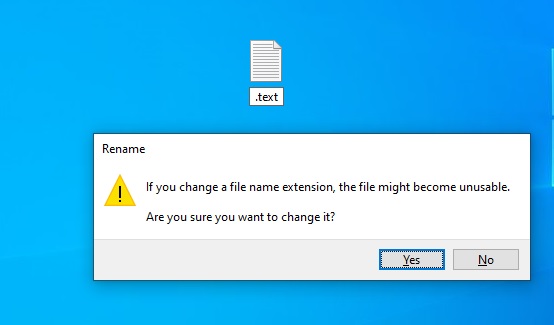
It’s a small change but it should help web developers and even normal users if they want to create a file that starts with a dot.
The post Windows 10 will allow you to create or rename extension only files appeared first on Windows Latest
Comments