Windows Latest Windows Latest
Windows 10 October 2018 Update causes audio issues on specific computers with users reporting “No Audio Output Device Is Installed” error.
There appears to be an easy method to go back to a functional audio system as a Microsoft employee has shared a trick that would help you overcome this situation.
Several users have reported the issue on Reddit and as well as Microsoft answers forum. Similarly, there’s another thread on Reddit that documents a similar issue.
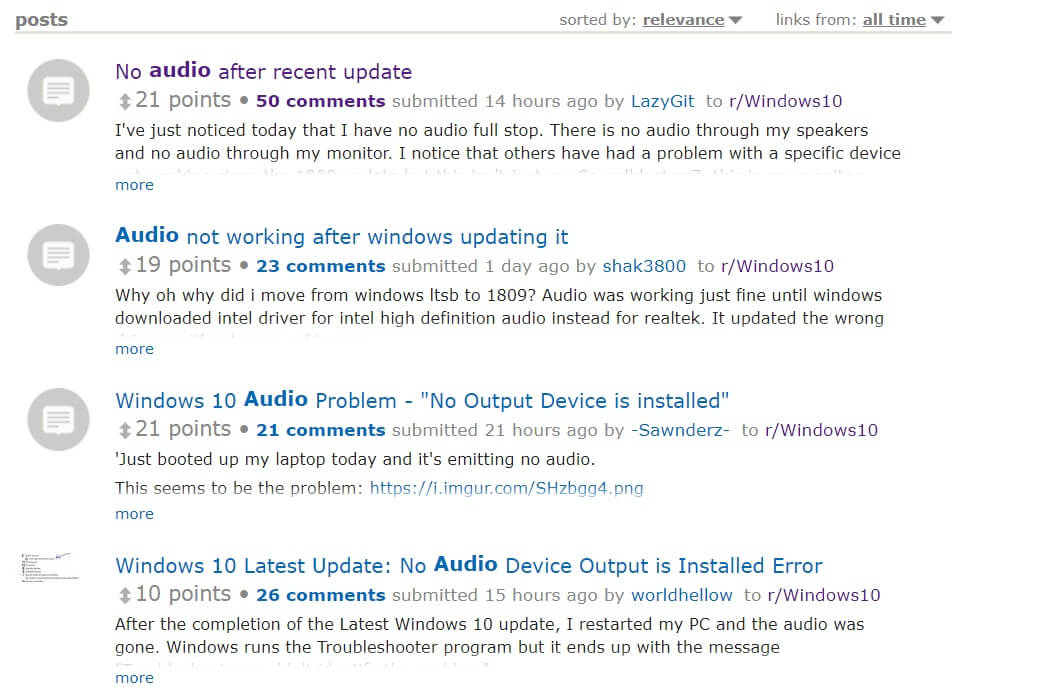
The bug is affecting only a small number of devices as Windows 10 October 2018 Update has been pulled shortly after its launch. It’s also important to note that only a limited number of Windows 10 version 1809 installs are likely affected by the problem as the bug exists on certain Intel systems only.
.@HPSupport @MicrosoftHelps Having "no audio output device installed" issues after updating to Windows 10 Home 10.0.17134 Build 17134. I have an OMEN x64 Laptop #microsoft #WindowsUpdate #Windows10 pic.twitter.com/XT6XPpKlGd
— Heenna (@Heeennna) October 11, 2018
@MicrosoftHelps Installed your latest update. Now sound doesn't work and seeing "no audio output device is installed" message. I've downloaded the latest drivers, everything is up to date. Using Intel HD Audio and Intel Display Audio on Windows 10 64bit. Please advise
— Patrick (@PFerguss) October 11, 2018
A Microsoft employee has shared a workaround on Reddit and you can follow it to fix No Audio Output Device Is Installed error in Windows 10 October 2018 Update (version 1809).
How to fix No Audio Output Device Is Installed error In Windows 10
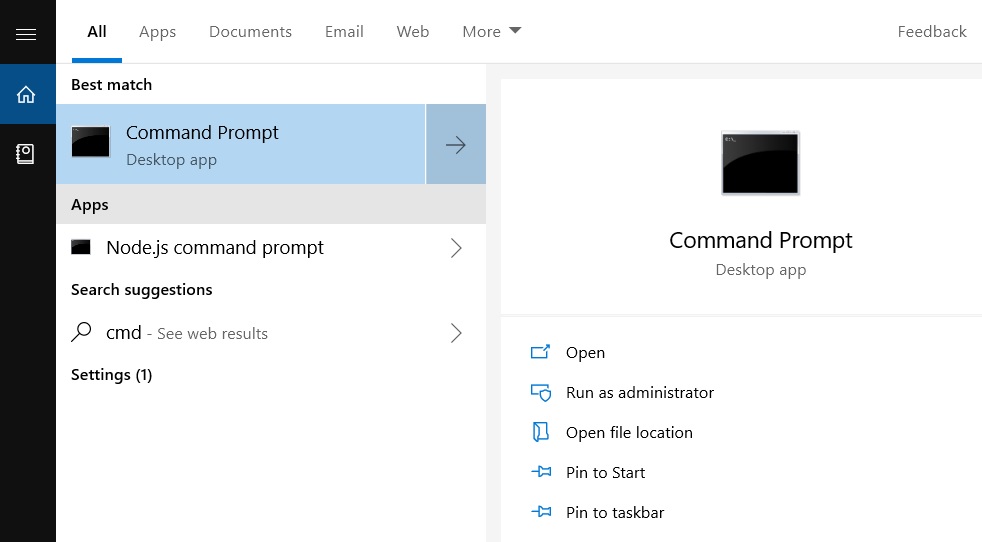
#1. Open Command Prompt with admin privileges. To do so, select the Start button, type cmd and right-click Command Prompt from the list and run as administrator.
#2. In Command Prompt, type the following command:
pnputil /enum-drivers
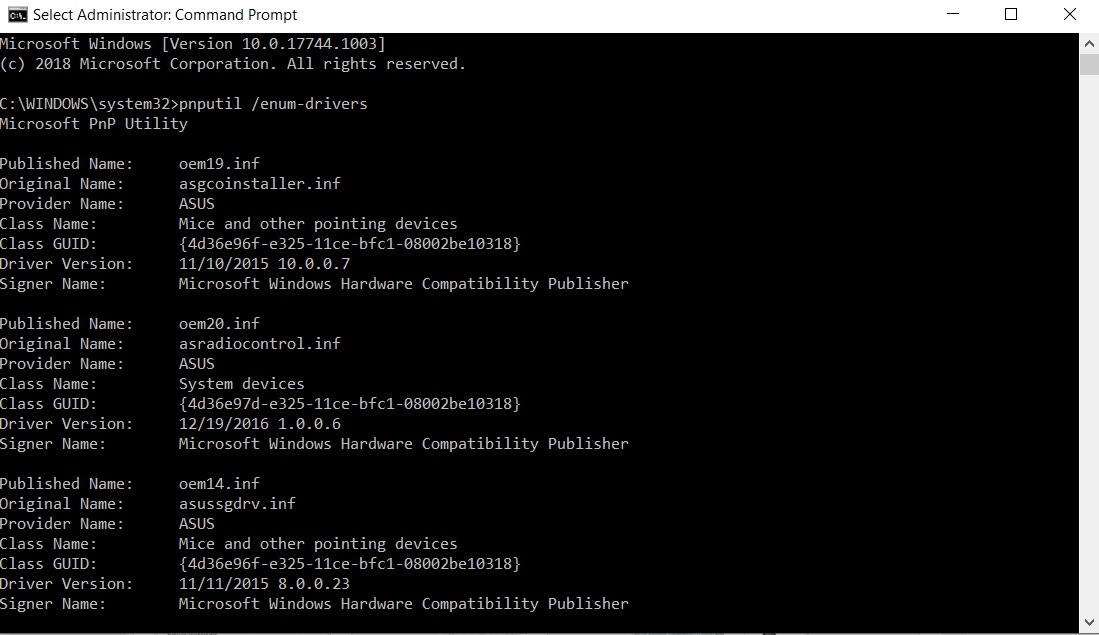
#3. A whole bunch of drivers will be listed about your PC’s driver You will see something similar to the below message:
Published Name: oemXXXX.inf
Original Name: intcaudiobus.inf
Provider Name: Intel(R) Corporation
Class Name: System
Class GUID: {4d36e97d-e325-11ce-bfc1-08002be10318}
Driver Version: 08/22/2018 09.21.00.3755
Signer Name: Microsoft Windows Hardware Compatibility Publisher
#4. You would now need to locate the oemXXXX.inf name that is listed (XXXX could be any number). It’s worth noting that you’re supposed to find the right match otherwise you might remove the wrong driver and end up breaking another functionality of your PC.
#5. Once you have found the driver, run the below command from an admin command prompt:
pnputil /delete-driver oemXXXX.inf /uninstall
In the above case, oemXXXX.inf is what you had found earlier.
#6. This will solve your problem.
Method 2
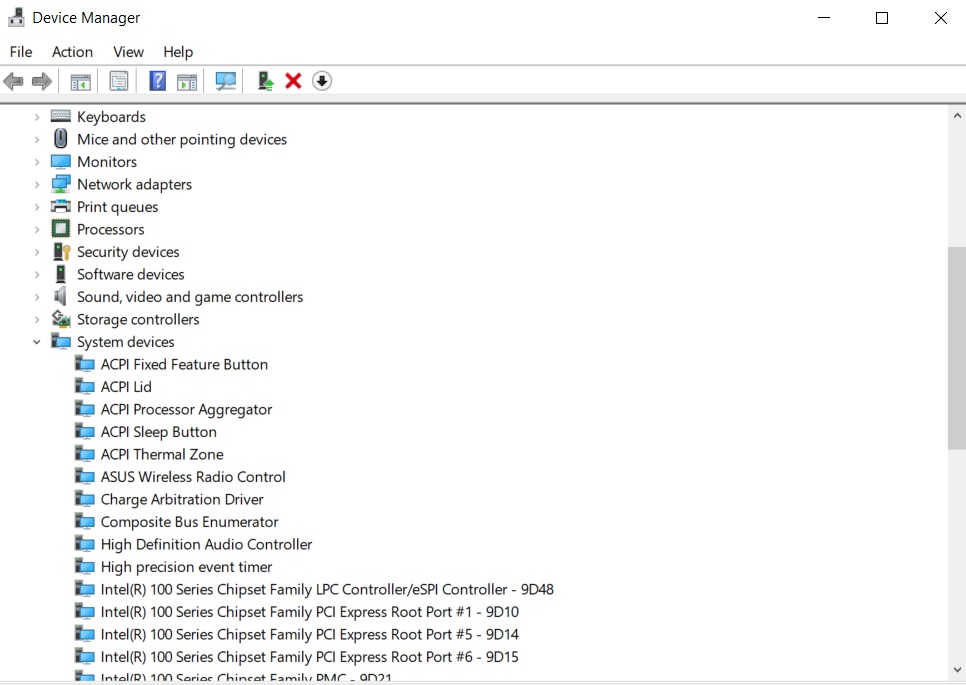
- Open Device Manager and select System Devices.
- Locate Intel Smart Sound Technology driver (SST).
- Right-click and select Update Driver.
- Choose browse from the computer and select High Definition Audio.
- Click Next.
- Intel Smart Sound Technology (SST) driver will disappear and you should have Audio back.
Microsoft hasn’t provided any other information yet but you’re recommended to install the latest version of Intel Graphics and Audio Driver which is compatible with October 2018 Update. For the time being, applying the above workaround seems to be the best bet.
The post Windows 10 update breaks audio drivers on some systems appeared first on Windows Latest
Comments