Windows Latest Windows Latest
Dell Mobile Connect app was announced a little while ago and you can finally download it on your non-Dell Windows 10 PCs. Dell Mobile Connect is an alternative to Microsoft’s very own Your Phone app and you can use it to sync the data across your PC and smartphones.
Dell Mobile Connect app is available via the Microsoft Store and you can install it to bring your Android or iOS device closer to your Windows 10 PC. It’s worth noting that you need to install the necessary drivers in order to run the application on any Windows 10 device.
Dell Mobile Connect is an impressive app with several features. For example, it comes with an advanced mirroring feature, ability to dim screens and reduce battery consumption when your phone is connected to the PC. Just like Microsoft’s Your Phone app, you can use Dell’s Mobile Connect as yet another solution to access Android text messaging and as well as the notifications.
Getting started
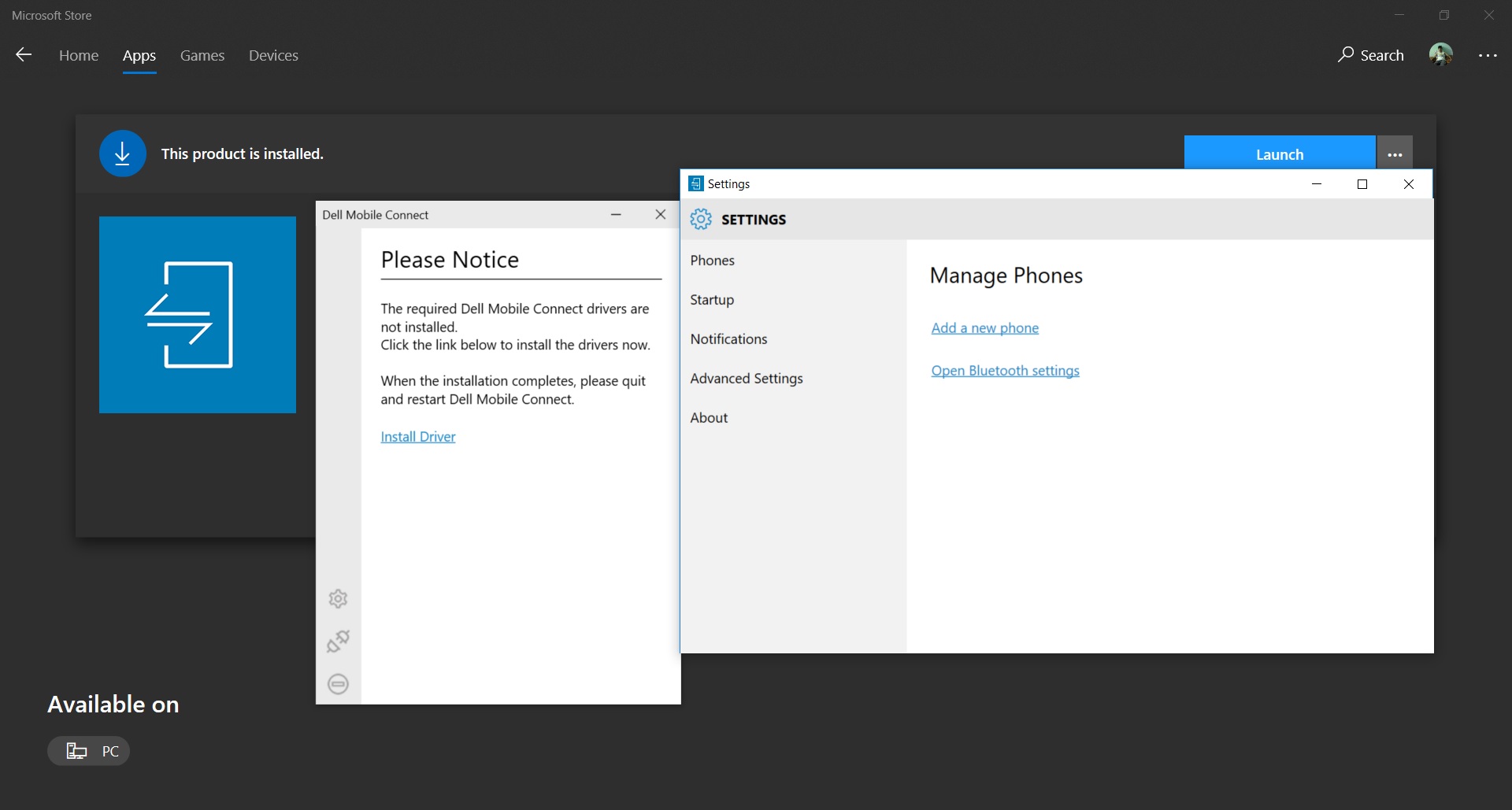
After you will install the app from the Microsoft Store, you will notice a message that would recommend you to install drivers. Follow the on-screen instructions to use the app.
Screen mirroring
Dell Mobile Connect comes with screen mirroring that is not yet available elsewhere. Screen mirroring is another great feature which you can use to mirror your phone’s content onto your Windows 10 device for an interactive engagement with any of your apps.
You can also use your PC to launch apps stored in your phone.
Call integration
The app also offers call integration that means you can use it to start and receive phone calls using the computer’s speaker and microphone.
Dell Mobile Connect app system requirements
- You’re recommended to use Dell PC but you can also install it on any Windows 10 device.
- The app requires you to have a smartphone with Android 5.0 or iOS 10 and newer.
- Windows 10 Creators Update and newer is also required.
You can download the Dell Mobile Connect app from here.
The post Dell’s Mobile Connect app is now available for all Windows 10 PC’s appeared first on Windows Latest
Comments