Windows Latest Windows Latest
Microsoft appears to be focused on improving the desktop File Explorer but the software maker is quietly testing UWP File Explorer for Windows 10. The UWP File Explorer is still believed to be actively developed and it’s scheduled to launch with Windows Core OS.
UWP File Explorer is not directly available for users there’s an easy way to enable the modern file manager on Windows 10. Without any further ado, here’s how you can install the UWP File Explorer on Windows 10.
How to access the UWP File Explorer on Windows 10
- Right-click the desktop and create a new shortcut.
- In “Create shortcut” wizard, enter the following part in the location box:
- explorer shell:AppsFolder\c5e2524a-ea46-4f67-841f-6a9465d9d515_cw5n1h2txyewy!App
- Click Next and name the shortcut as UWP File Explorer.
- Click finish to complete creation of new shortcut that basically gives you access to modern file manager
You can now double-click the shortcut to launch it, and it’ll open the new UWP File Explorer that has a modern look. You’ll notice that the file manager has more mobile friendly interface and it’s touch-friendly thanks to the large folder icons and new toolbar located at top-right corner.
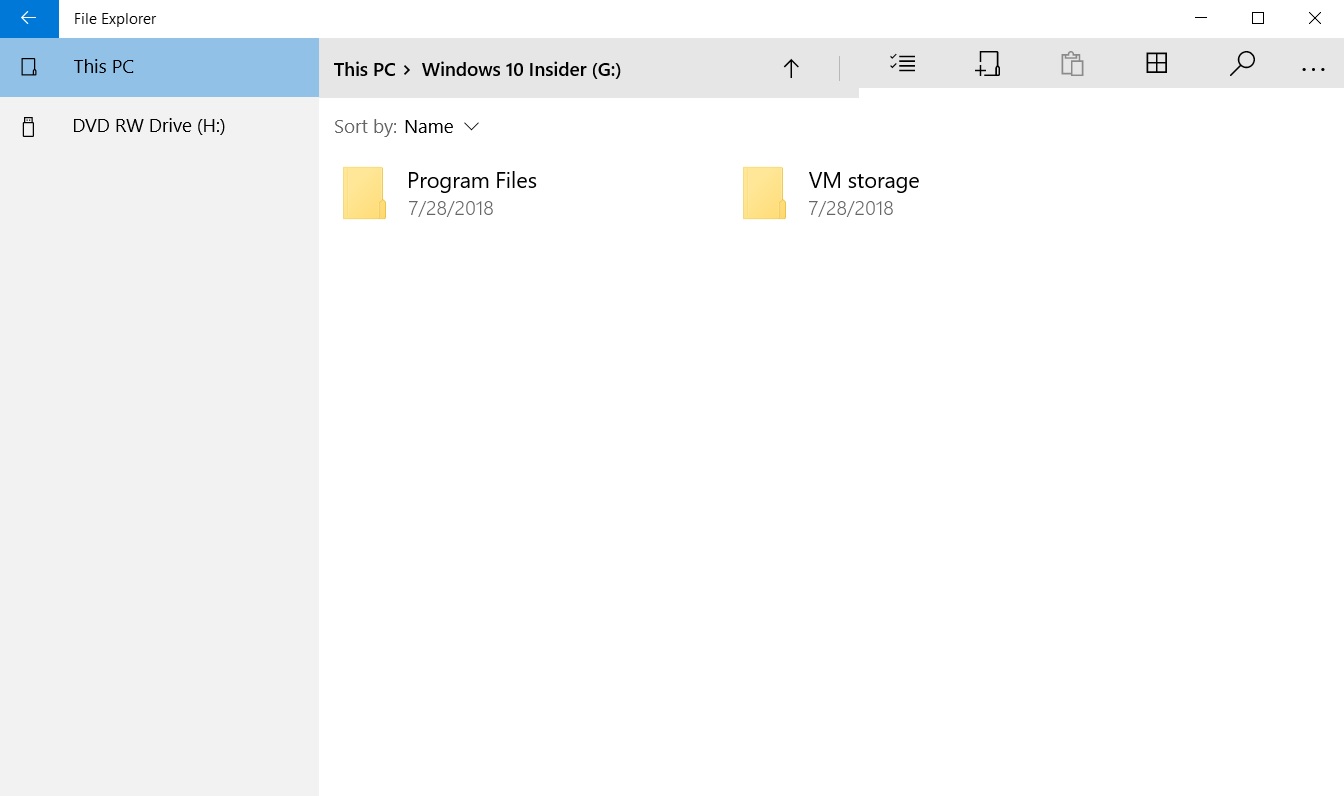
The UWP File Explorer is nothing in comparison to the desktop File Explorer but the company is working on major improvements. Some new features recently made to the modern file manager with Redstone 5 update.
Microsoft has been roundly criticized for its seemingly lackadaisical development approach to the more mobile/touch friendly portions of Windows 10. The Universal File explorer is not supposed to replace the current file manager in Windows 10 anytime soon.
The post How to enable the UWP File Explorer on Windows 10 appeared first on Windows Latest
Comments